Decision Planner is a SharePoint Framework (SPFx) web part. It installs once on your SharePoint Online tenant and can then be added to any page, Teams tab, Outlook personal app, or Microsoft 365 home pane by any user with rights on that surface. No code. No separate admin portal. Allow about fifteen minutes for the first install; subsequent registers take a couple of minutes each.
Install Decision Planner on your SharePoint tenant
A SharePoint administrator does this once. After install, every user on the tenant can add Decision Planner to pages and tabs they have rights to.
Install Decision Planner on your SharePoint tenant
A SharePoint administrator does this once. After install, every user on the tenant can add Decision Planner to pages and tabs they have rights to.
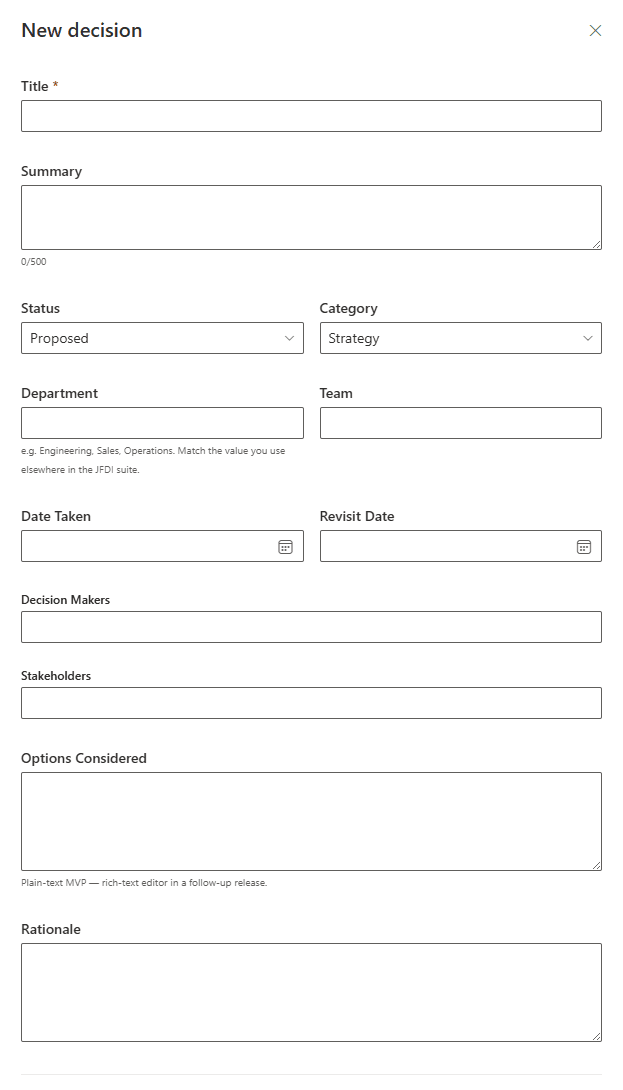
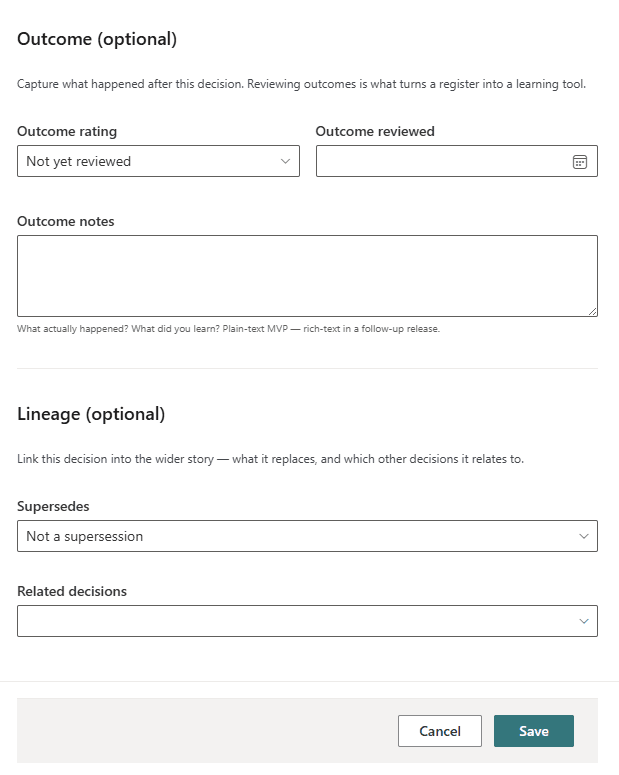
What the capture form looks like
The capture form has two halves. The top half holds the structured metadata you fill in when you make the decision: title, summary, status, category, department, team, date taken, revisit date, decision-makers, stakeholders, options considered, rationale. The bottom half holds the outcome and lineage, both optional at capture time and filled in at revisit time. Click either image to zoom in.
Common pitfalls
Web part not appearing in the gallery
The most common cause is that the SharePoint admin installed the package but didn’t make it available across the tenant. Check the App Catalog and re-deploy with the tenant-wide option ticked. If you added the app to a single site, you only need to add it on that site.
Licence validation error
Make sure your SaaS subscription is active in the marketplace, and that the tenant ID matches the subscription. If the issue persists, contact us and we can help diagnose.
List not created when using “Create”
The user installing the template may not have permission to create lists on the chosen site. Create the list manually first, then point Decision Planner at it; the template will add any missing columns to the existing list.
Revisit Radar isn’t showing anything
The Revisit Radar surfaces decisions with a revisit date in the past or within 30 days. If your register is new, no entries are due yet. Capture a few decisions with revisit dates set and the Radar will populate as the dates approach.
Ready to keep a clear record of your decisions?
Decision Planner is available free on the Microsoft Marketplace, with a 30-day Enterprise licence that starts once an administrator approves the JFDI Licensing permission, so you can try every feature.